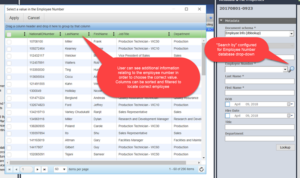
Create a dropdown menu – Database managed
A metadata field that is a “Dropdown menu – database lookup” provides connectivity to external databases for retrieving dropdown items from a remote table or

A metadata field that is a “Dropdown menu – database lookup” provides connectivity to external databases for retrieving dropdown items from a remote table or

When a watermark has been configured on a document schema, it will be automatically visible whenever it is viewed by the level 2 or higher
Watermarks can be applied to documents through the explicit action of a user or automatically by configuration. The explict action method is useful when a

Different types of document links can be configured for the FDA, Web Client, and the Anonymous portal. These links can be shown in the metadata
The Automatic Document Importation (ADI) mechanism allows importing a large number of documents into the document management system with minimal user intervention. It runs on
FileHold gives library administrators the option to define connections to arbitrary data sources for dropdown menus and schema lookups. By default Microsoft SQL Server data sources

Metadata field types determine the format users must follow when entering metadata for the documents they add to the document management system. The field type

Auto-filing can take documents from the FDA Inbox, Manage Imports, Automatic document importation, Print to FileHold, the Microsoft Office integration, the Add Document Wizard, and
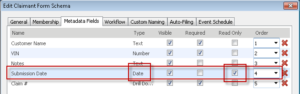
You can configure the system to automatically delete, archive, or convert documents to records for a particular schema. These are sometimes referred to as Retention
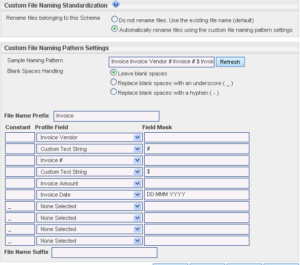
A descriptive, properly named file allows users to learn more about the content of a document without having to open it. Metadata fields can be
