Checking out a document under a workflow
A document under a workflow process can be checked out by a participant in the active workflow activity. Once a document has been checked out

A document under a workflow process can be checked out by a participant in the active workflow activity. Once a document has been checked out
The integration with FileHold allows users to fully interact with their files with Microsoft Office applications. FileHold supports the completion of workflow tasks from the

The External signing report displays a list of Adobe Acrobat Sign transmissions. The columns can be added or removed, resized, reordered, grouped, and filtered. The

A “one-time review” activity allows a user to insert a review task ad hoc to allow a workflow participant to request changes from any user

When approving documents, a new interface can be used for a cleaner and more friendly experience that provides more workflow details to the user. For
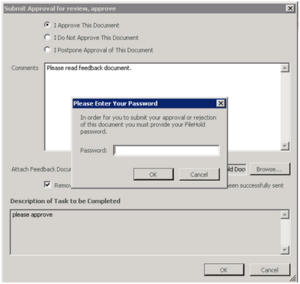
The approval activity is designed to facilitate the formal collection of signatures / approvals for an individual file version. When approving documents, there are three

Workflows can be started automatically based on a document type when they are added to the system or a new version of a document is

Documents can be added or removed from an active workflow. Documents can be added as “main” or “supporting” documents. Main documents are all the documents

Initiating a workflow can be done by any document owner with Document Publisher or higher permissions as long as they have access to the document(s). Once

Library Administrators can create pre-defined workflow templates and associate these templates with different document schemas. Once a workflow is initiated, users can use a pre-determined
